EU AI Act · EUSAiR
Accountable AI needs a system of evidence.
That’s where Aqua comes in.
Every action, whether an approval, a change, or a signature, is recorded with evidence of who did what and when. Like a receipt, this evidence travels with the data itself, allowing auditors, regulators, and partners to independently verify what happened without access to the system that produced it.
 Aqua Aqua
The protocol and SDK whose evidence we check against each standard.
LFDT Proof of Control LFDT: Linux Foundation Decentralized Trust Publishes Proof of Control, an open standard for proving what AI agents did. EU EU AI Act EU: European Union The EU AI Act is Europe’s AI law, with duties for record-keeping, transparency and human oversight. In 2026 we took part in EUSAiR, the EU-funded pilot sandbox for the AI Act. RFC Standards RFC: Request for Comments The internet and cryptography standards Aqua is built on, and new ones we are assessing.
Aqua Aqua
The protocol and SDK whose evidence we check against each standard.
LFDT Proof of Control LFDT: Linux Foundation Decentralized Trust Publishes Proof of Control, an open standard for proving what AI agents did. EU EU AI Act EU: European Union The EU AI Act is Europe’s AI law, with duties for record-keeping, transparency and human oversight. In 2026 we took part in EUSAiR, the EU-funded pilot sandbox for the AI Act. RFC Standards RFC: Request for Comments The internet and cryptography standards Aqua is built on, and new ones we are assessing. Example: a payment executed by an AI agent.
Prefer to keep cookies off? Watch the video on YouTube ↗
Chapters
- 0:00 The agent produces the evidence package
- 4:56 The audit portal consumes the evidence package
- 5:54 The forensic viewer consumes the evidence package
Recorded on our test system with sample payroll data.
Short on time?
Explore the demo in slides.
The demo shows the onboarding of Darlene as a contractor. Her client asks an AI agent to pay her for 40 hours. Here is what Aqua records at each step, and what happens when something goes wrong.

One payment, step by step: what Aqua records at each step.
Limit: 80 h ✓
Steps 1 to 4: Aqua checks the payment and confirms a person’s signed approval, so your system only pays what passes. Steps 5 and 6: Aqua records what was sent and received, and seals it into one evidence package.
When the agent gets it wrong,
your rules stop the payment before money moves.
When the agent gets it wrong, your rules stop the payment before money moves.
The evidence layer
What Aqua adds every time data passes from one system to another.
The evidence tag on each handover: what, who, when, under which rules, what belongs together.

The evidence layer
Your systems already exchange data.
Aqua seals the evidence at each handover.
Aqua doesn't replace these systems.
It connects to them and adds evidence to the data they exchange, and that evidence travels on with it.
Your systems already exchange data. Aqua seals the evidence at each handover.
How Aqua differs
The proof is built into the data,
not kept by someone you have to trust.
The proof is built into the data, not kept by someone you have to trust.
Private verification
Auditors need proof, but the record contains sensitive data.
With Aqua, only the fields the other side needs are revealed. Sensitive data, such as personal, medical or commercial details, stays hidden, and the signature still checks out.
An auditor sees only the fields they need, and the signature still checks out.
Reading the evidence
Aqua doesn't stop at creating evidence.
It also gives everyone a way to read it.
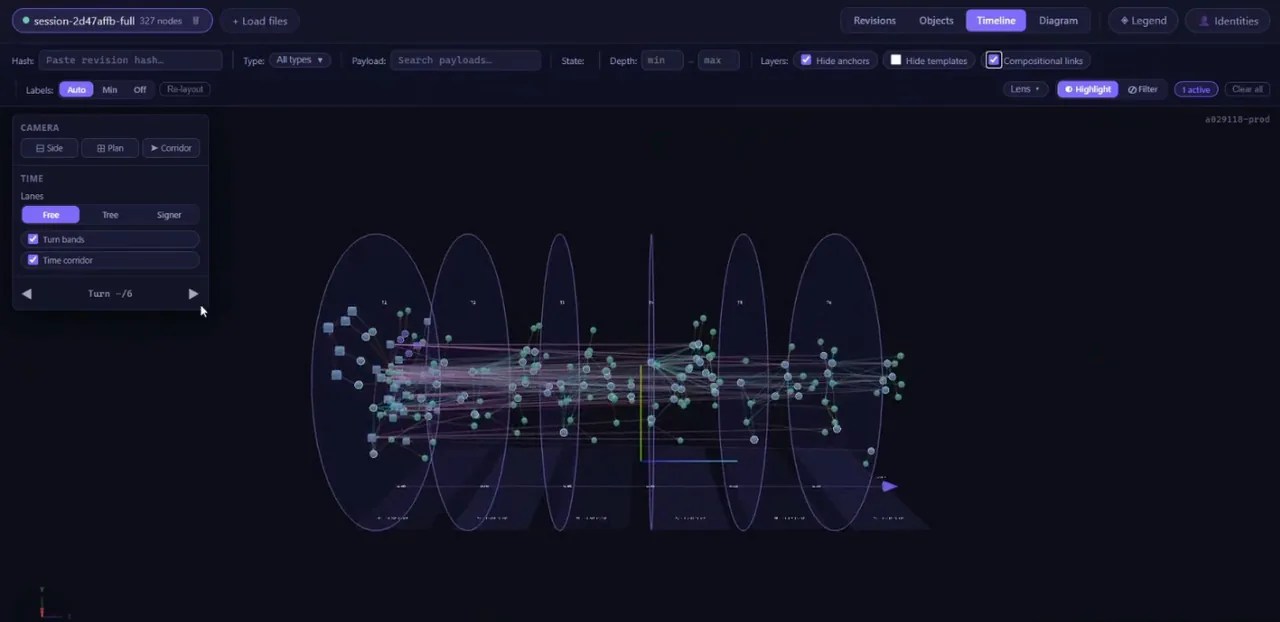
One evidence package, two ways to examine it: experts inspect every step in detail, everyone else gets a clear verification result.
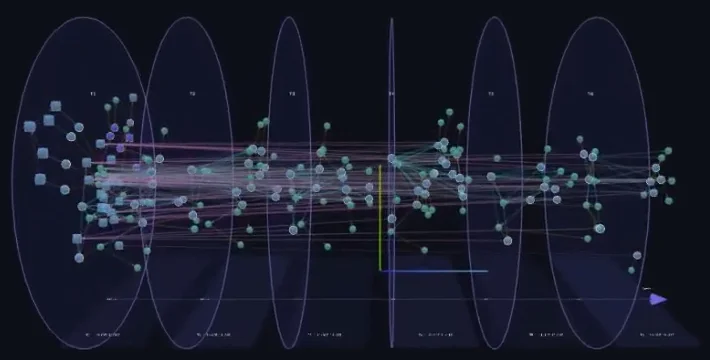
All six steps in one file.
Two ways to read the evidence: every step in detail for experts, a clear result for everyone else.
Integration
Aqua fits into the systems you already run.
Your team adds it in three steps.
Aqua fits into the systems you already run, in three steps.
Promises don't travel between organisations.
Proof does.
You don't have to trust your AI agent.
You trust the rules and the approval, and the evidence shows they were kept.

Promises don’t travel between organisations. Proof does. Scan the code to come back to this page.
What does Aqua capture in an Evidence Bundle?
In our payment demo, Aqua captures each step of the workflow, from the initial request and the AI agent’s actions to human approval and the final payment. These records are brought together in an Evidence Bundle.
The bundle contains the data and evidence needed to trace the workflow step by step, including what happened, who signed or approved it, and when. It travels with the data, allowing anyone who receives it to independently verify the recorded steps without access to the original system.
How each step is documented.
- What exactly Fingerprint A unique code representing the exact content. Change even one digit, and the fingerprint no longer matches.
- Who Signature Created with the sender’s own key, whether it’s a person, company, or AI agent.
- When Timestamp Confirmed by an independent time service, not just the sender’s own clock.
- Under which rules Template Defines the agreed structure and requirements the data must meet, such as those for a contractor payment.
- What belongs together Seal Cryptographically links the records together, making any removal or alteration detectable.
Two ways to read it.
Practical steps towards EU AI Act compliance with Aqua Protocol.
The EU AI Act sets requirements for accountability, transparency, and human oversight. Aqua helps put them into practice by checking actions against agreed controls as AI workflows run. Each step is documented, with verifiable evidence of actions, approvals, and decisions that stays with the data.
Auditors and regulators can independently verify what happened without access to the original systems.
For stand-alone high-risk AI systems, these duties apply from 2 December 2027.
- Art. 9 Risk management Identify the risks of a system and control them over its lifetime. What Aqua adds: Each step is checked against its agreed form, a person approves the critical ones, and a refused step stays on record with its reason.
- Art. 12 Record-keeping Record events automatically over the system’s lifetime. What Aqua adds: Every event is a signed entry linked to the one before, so a changed or missing entry shows.
- Art. 13 Information for deployers Let deployers collect, store and interpret the logs. What Aqua adds: Built so deployers can check the logs themselves, in the browser or offline, without asking the provider.
- Art. 14 Human oversight Let people decide not to use, override or reverse what the AI does. What Aqua adds: Each approval or rejection is signed by the person who made it, with what they were shown and when.
- Art. 19, 26 Keeping the logs Providers and deployers keep the logs for at least six months. What Aqua adds: The evidence travels with the data, so it stays checkable wherever it is kept.
Pilot Aqua in one of your AI agent workflows.
Start small:
One high-risk workflow.
One evidence package your team, partners and auditors can check themselves.